
IP Allowlisting
Restrict production payout requests to trusted server IP addresses configured in the HoneyCoin dashboard.
IP allowlisting adds a network-level check to your production payout requests. When your account has one or more active allowlisted IP addresses, HoneyCoin accepts protected payout requests only when they originate from one of those addresses.
IP allowlisting is optional. If your account has no active allowlisted IP addresses, HoneyCoin does not apply an IP restriction.
Protected endpoints
The policy currently applies to these production endpoints:
POST /api/b2b/fiat/payout
It does not apply to sandbox requests. Authentication is still required: IP allowlisting supplements your bearer token and does not replace it.
Requirements
- Add the public IPv4 address used by the server that sends requests to HoneyCoin.
- Enter an exact IPv4 address, such as
203.0.113.10. - IPv6 addresses and CIDR ranges such as
203.0.113.0/24are not supported. - You can configure up to 20 active IP addresses per account.
- Use a nickname of 3–50 characters so each address can be identified later.
If your infrastructure uses multiple outbound gateways, add every public egress IPv4 address that may send payout requests. If your hosting provider assigns dynamic outbound addresses, configure stable egress before enabling the policy.
Add your application server's public egress address, not your laptop's address or a recipient's address. Do not send the address in the request body or a custom header; HoneyCoin evaluates the source IP observed for the request.
Configure the allowlist
- Sign in to the HoneyCoin dashboard.
- Under Developers, open IP Addresses.
- Enter an Address Nickname and the exact public IPv4 address.
- Select Whitelist IP.
- Repeat for every server or outbound gateway that can send production payout requests.
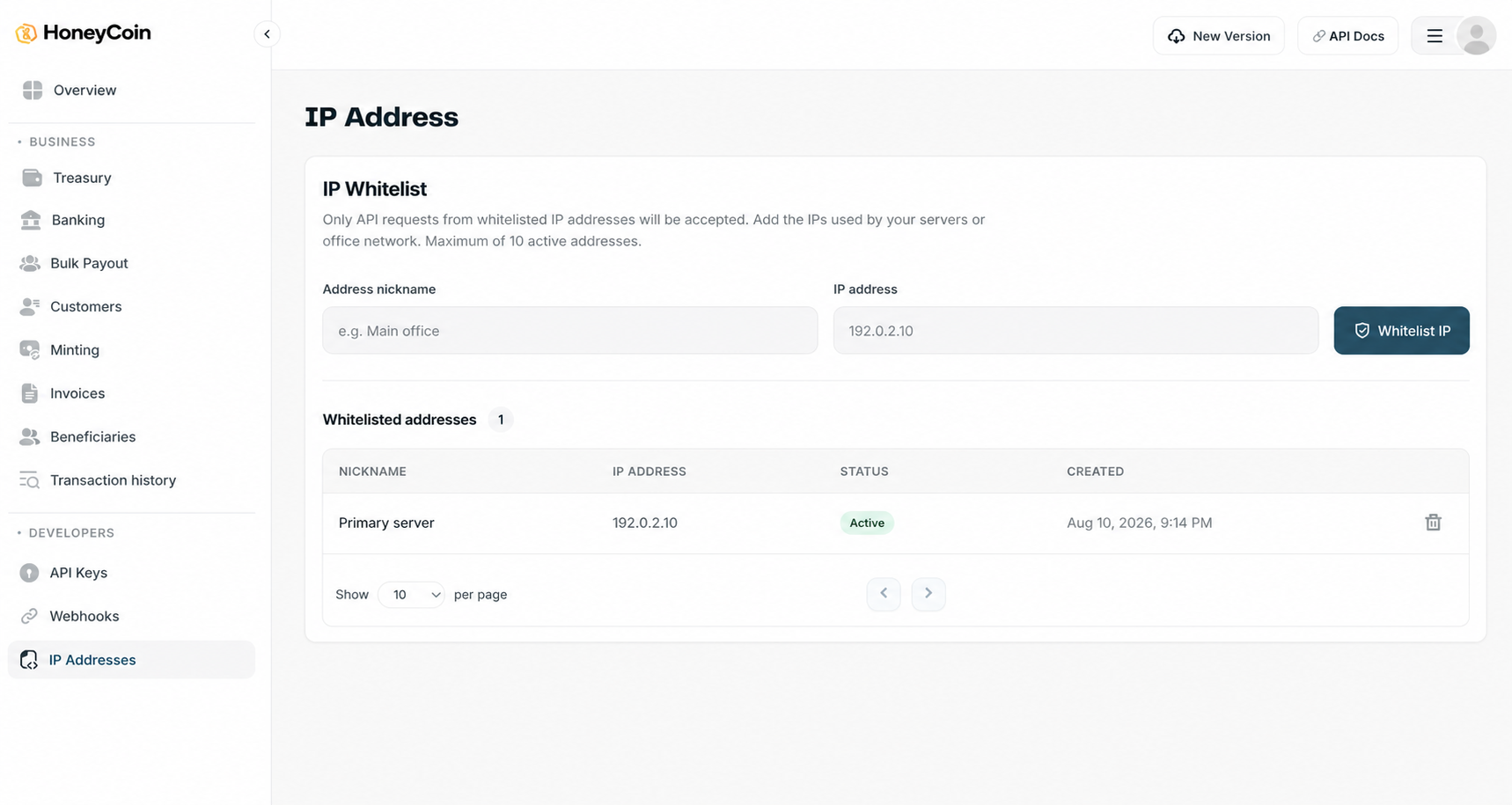
The Developers > IP Addresses page in the HoneyCoin dashboard.
Owners, admins, and developers can add and view addresses for the account. Only owners and admins can remove an address.
Safely rotate an address
To change an outbound IP without interrupting payouts:
- Add the replacement IPv4 address before changing your application traffic.
- Route payout requests through the replacement address and confirm the integration is operating normally.
- Remove the previous address from Developers > IP Addresses.
Avoid removing the only working address before the replacement is in use.
Rejected requests
When a protected request comes from an address outside a non-empty allowlist, the API returns HTTP 400 with IP_NOT_ALLOWED:
{
  "success": false,
  "message": "IP Address error: Invalid ip address.",
  "errorCode": "IP_NOT_ALLOWED"
}
Do not retry the same request repeatedly. Confirm the server's public egress IPv4 address and update Developers > IP Addresses, or send the request from an address that is already allowlisted. If the observed address is allowlisted and the error persists, contact HoneyCoin support.
Operational checklist
- Keep API keys and bearer tokens on the same trusted server infrastructure whose IPs are allowlisted.
- Include primary and failover egress addresses before enabling failover traffic.
- Review the allowlist after infrastructure, NAT gateway, proxy, or hosting changes.
- Remove addresses that are no longer controlled by your organization.
- Branch on
errorCode, not the human-readable error message.
Updated about 1 month ago